Agentic drone operations
Bring your drone operations into one working context.
Connect the client’s request to the work your team needs to complete. Organize scope, people, assets and delivery in one operating context, with AI preparing the next action and responsible people approving the decisions that affect the mission.
Task links begin with account creation or sign-in, then continue with the selected task and your existing access.

Give each part of the operation a clear job.
Start with the task you need to complete, then carry its output into the next handoff.
Mission Planning & Tracking
Turn a site brief into preparation tasks, readiness questions and delivery criteria. The output is a reviewed mission plan that the operator can act on.
Faster preparation and clearer execution
Browse Mission TemplatesExplore the capability: Mission Planning & TrackingTeams, Scheduling & Fleet
Compare availability, qualifications and asset readiness before assigning the visit. The output is an agreed crew, equipment and schedule, with conflicts visible to the coordinator.
More capacity with less coordination
Open My ScheduleCreate an account or sign in first, then continue to this task with your existing access.
Explore the capability: Teams, Scheduling & Fleet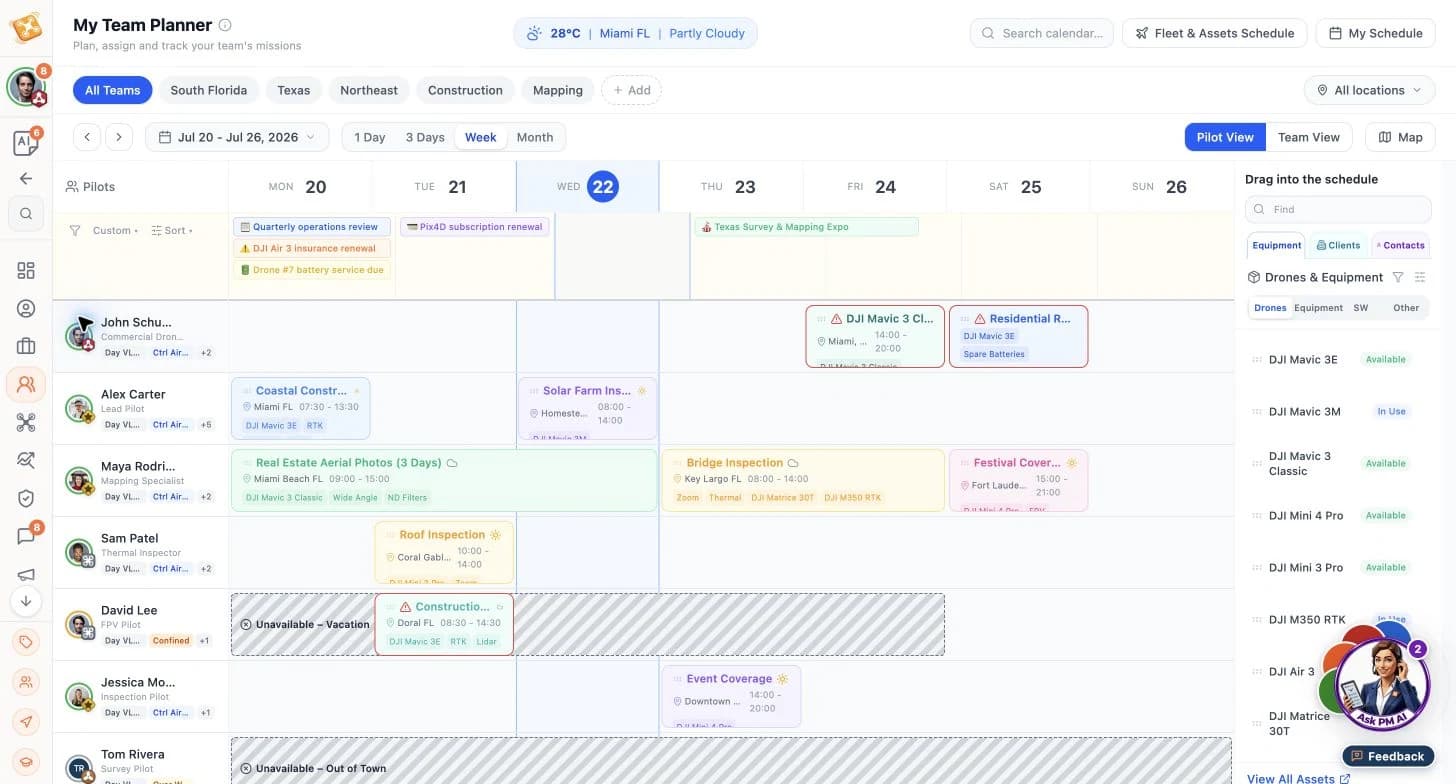
Separate sample: the team planner brings assignments and availability into one comparison. These are not the Harbour Works delivery records. CRM & Invoicing
Keep the agreed scope, client contact and next commercial action together. Your team reviews the proposal and invoice details before sending them, with a traceable follow-up.
A stronger pipeline and simpler follow-through
Build My Professional ProfileCreate an account or sign in first, then continue to this task with your existing access.
Explore the capability: CRM & Invoicing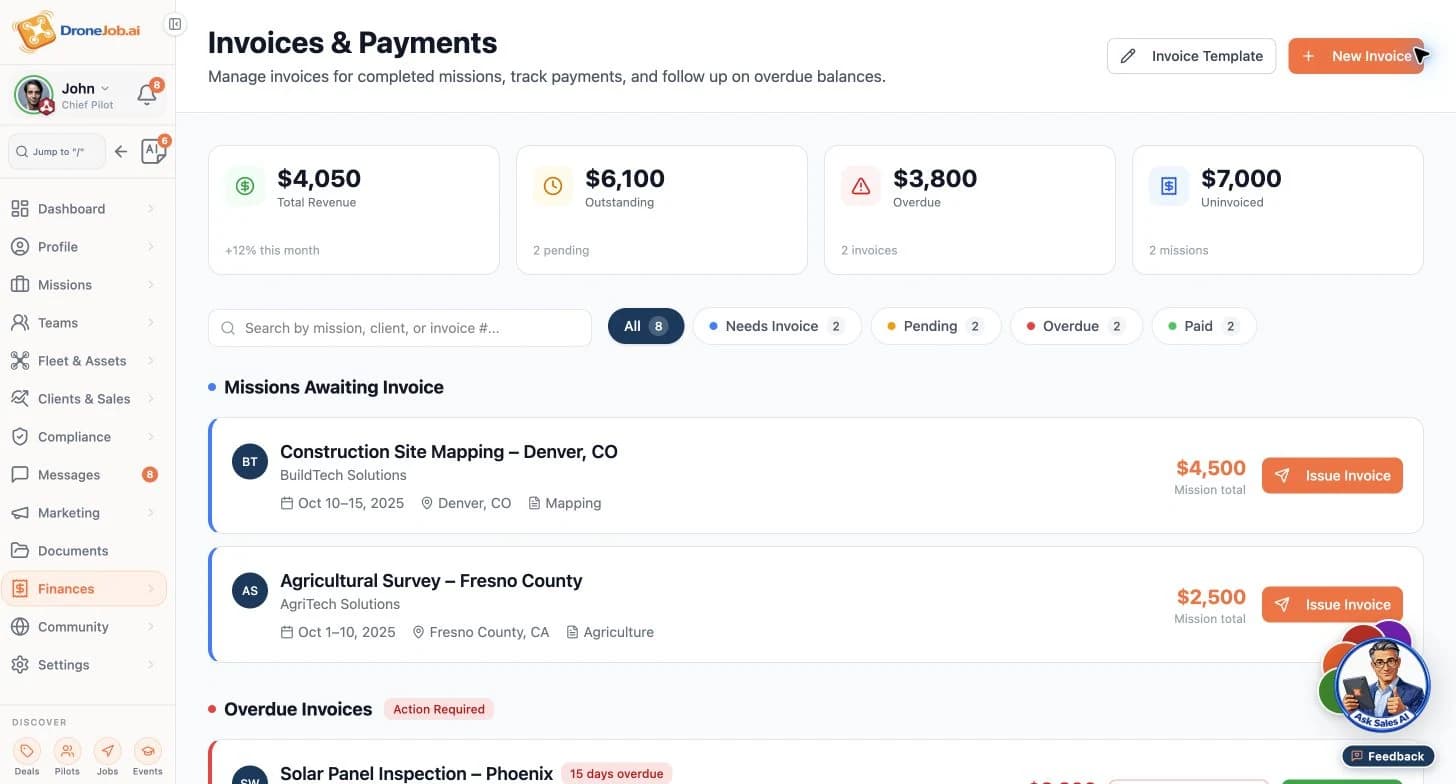
Separate sample invoice workspace. Demonstration amounts illustrate record organization, not customer results. Risk & Compliance
Bring location and mission questions into SkyRules AI. Take an organized set of requirements and source references to the qualified person who verifies readiness.
Faster readiness research
Open SkyRules AICreate an account or sign in first, then continue to this task with your existing access.
Explore the capability: Risk & ComplianceDelivery & evidence
Carry acceptance criteria into review. Keep source files, selected outputs and version comments together so the reviewer can accept the package or request a precise revision.
Human-reviewed delivery
Explore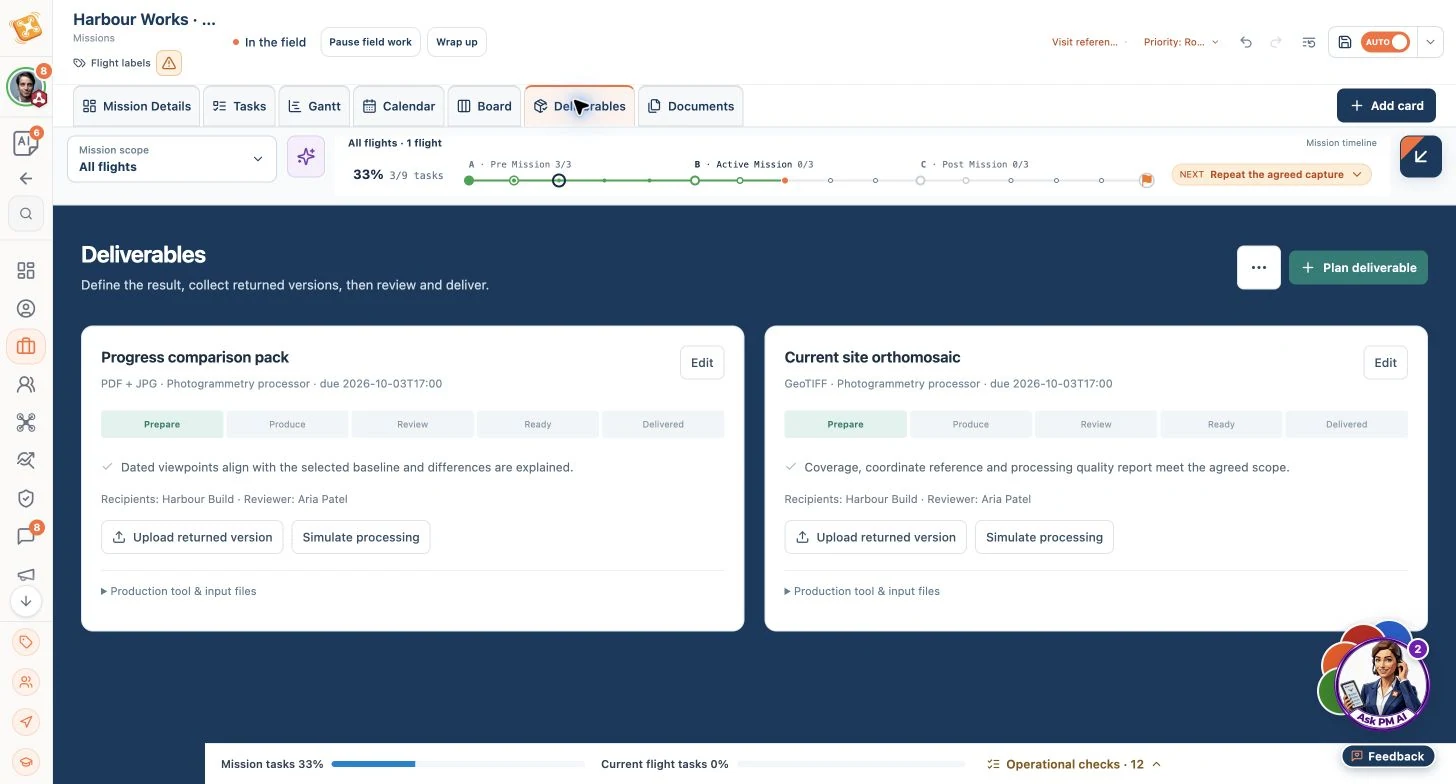
Harbour Works · October Prepare view. The required package is defined before review; this does not show completed delivery. Customer communications
Connect a client’s feedback to the affected deliverable and the person who owns the response. Produce a reviewed update with a clear next action.
Less follow-up, a better customer experience
Explore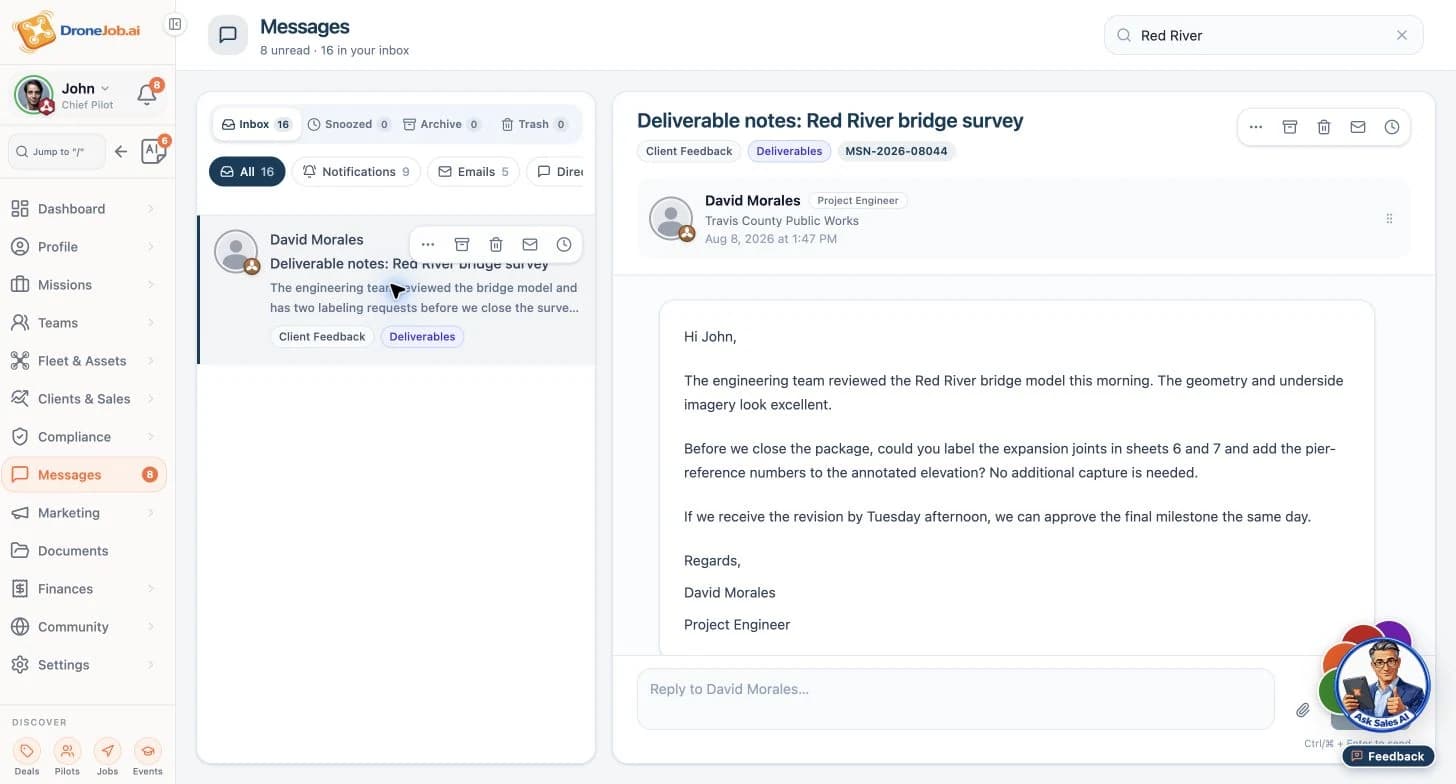
Separate demonstration: Red River bridge review requests labels and pier references before approval. It is not a customer endorsement or the Harbour Works mission.
Carry one brief through to a reviewed delivery.
The Harbour Works example connects preparation, a field decision and client review.
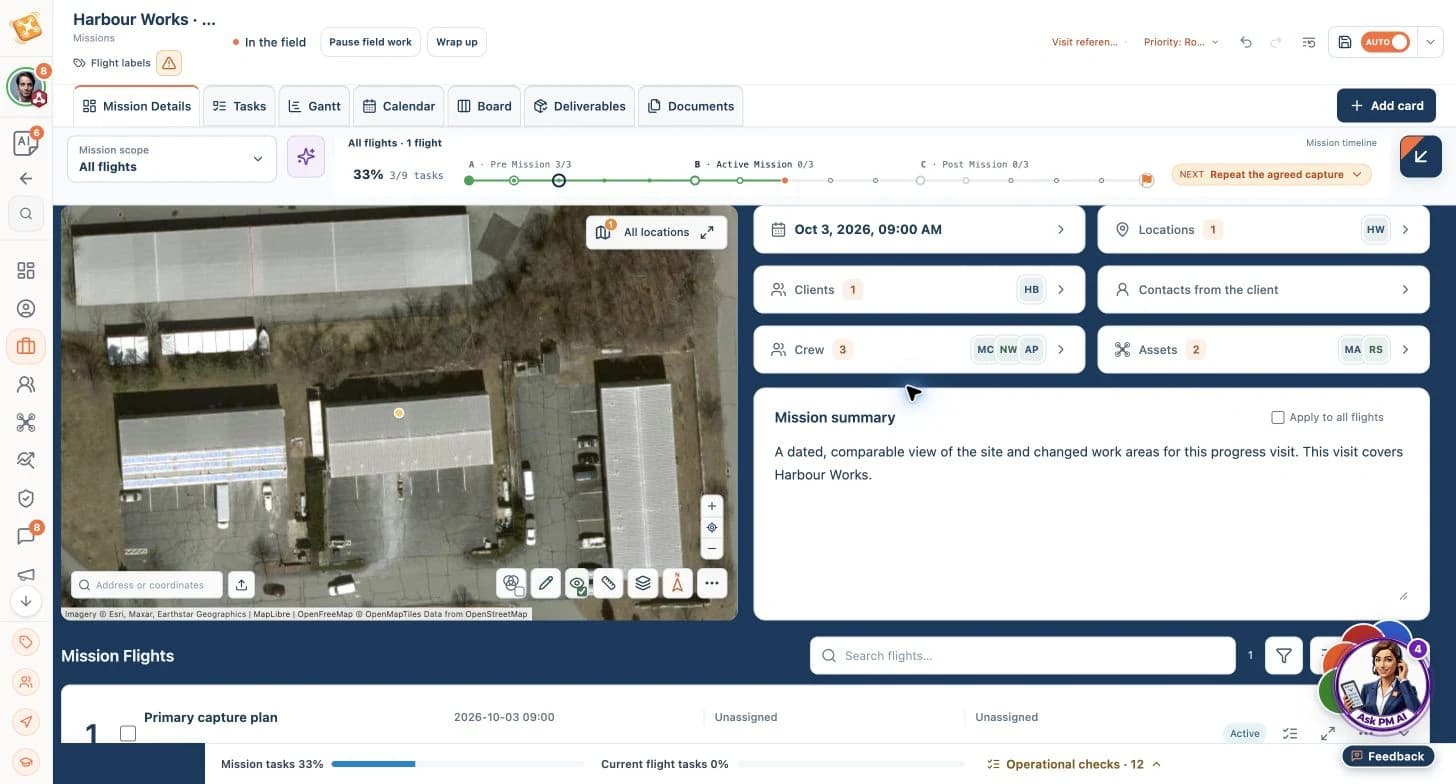
Illustrative workflow · AI advances routine execution; your team owns critical decisions.
Harbour Works · October progress
Harbour Build needs a PDF + JPG progress comparison pack and a current-site GeoTIFF. The 3 October visit uses agreed viewpoints and the September reference set; Aria Patel reviews the delivery.
Prepare a comparable visit
- Input
- Site boundary, access window, repeat viewpoints and agreed output.
- Product or agent contribution
- Your PM agent organizes tasks, people, assets and delivery checks around the brief.
Resulting output
A reviewed visit plan with a named field operator and reviewer.
Resolve a coverage gap
- Input
- The field check identifies a missing agreed viewpoint.
- Product or agent contribution
- Your team sees the gap and its delivery consequence beside the capture record.
Resulting output
Dated source imagery, a viewpoint index and an explicit unresolved action.
Review the package
- Input
- Source imagery, processed outputs and the agreed comparison criteria.
- Product or agent contribution
- Your PM agent organizes versions and review follow-ups so comments stay attached to the required output.
Resulting output
A reviewed comparison pack and GeoTIFF, with the accepted version and any limitations recorded.
Decide what changes, who approves it and what happens next.
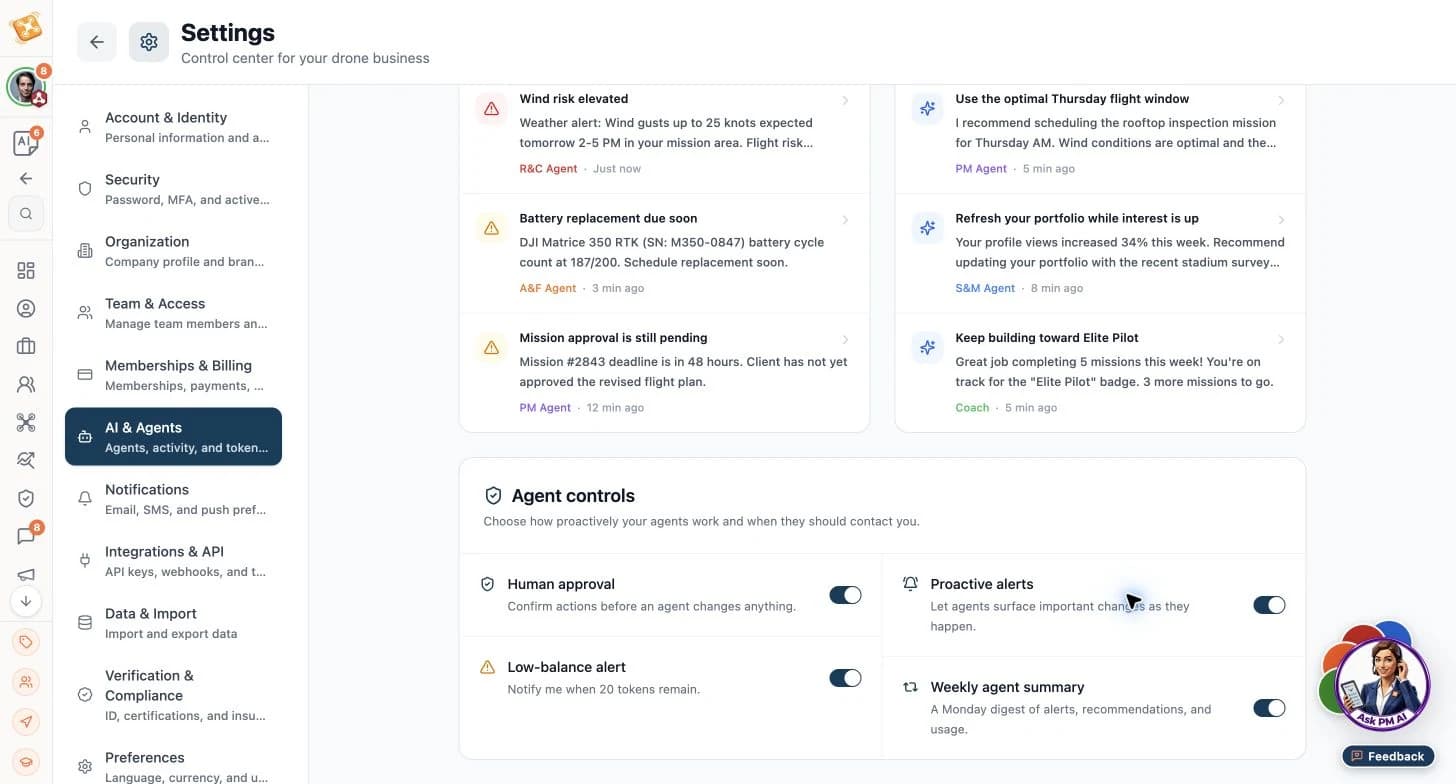
AI prepares the coordination. Your team owns scope, readiness, assignments and acceptance.
The mission lead agrees the brief. The operator decides whether field work can proceed. The coordinator approves changed assignments and communications. The client reviewer accepts the output or names the required revision. Each decision leaves a responsible owner and a visible next step.
A professional starting point
Present relevant services and evidence so a client can assess fit before agreeing the mission.
ExploreFit with existing operations
Define the data, systems and approval points around one operational handoff.
ExploreSpecialist responsibilities
See the inputs, prepared outputs and human decisions for PM, Sales, Risk, Fleet and Coach.
Explore
Choose a useful starting task.
Build a professional profile for personal exploration. For a recurring operational handoff, bring a brief, its owners and the output you need to a focused workflow discussion.
Task links begin with account creation or sign-in, then continue with the selected task and your existing access.