Solutions by need
Keep teams and aircraft ready for the work ahead.
Give the coordinator one view of who can do the work, which assets are ready and where assignments conflict. AI prepares alternatives so your team can resolve changes without rebuilding the schedule.
Create your account or sign in first. Your schedule task stays with the account-entry handoff.

Check fit before assigning the visit.
Availability, qualifications and equipment readiness answer different questions.
People and timing
Compare the requested time with availability and relevant qualifications. Keep preparation and travel time in the assignment review.
Aircraft readiness
Check payload suitability, maintenance state and existing assignments. A catalog model is a starting reference; your operator checks the actual asset.
Open Fleet ManagementCreate an account or sign in first, then continue to this task with your existing access.
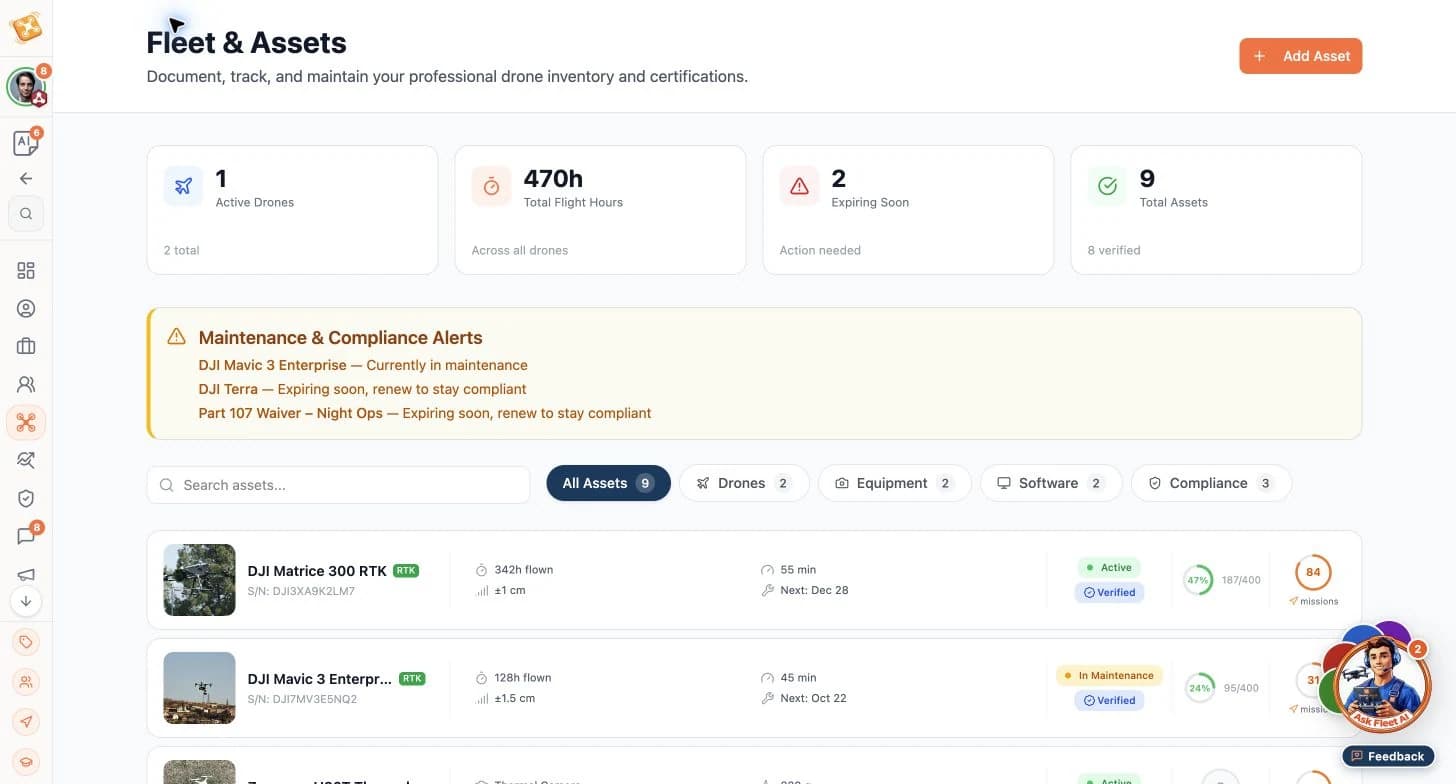
Sample fleet records support the equipment check; the responsible operator determines suitability for the mission. Review ownership
Name the dispatcher who approves reassignment and the person who confirms the client’s revised access window.
Turn a conflicting visit into an agreed assignment.
A construction site moves its access window by two days. The original operator already has another commitment.
The planner sample below shows how assignments and availability can be compared; it is a separate demonstration, not a captured record of this scenario.
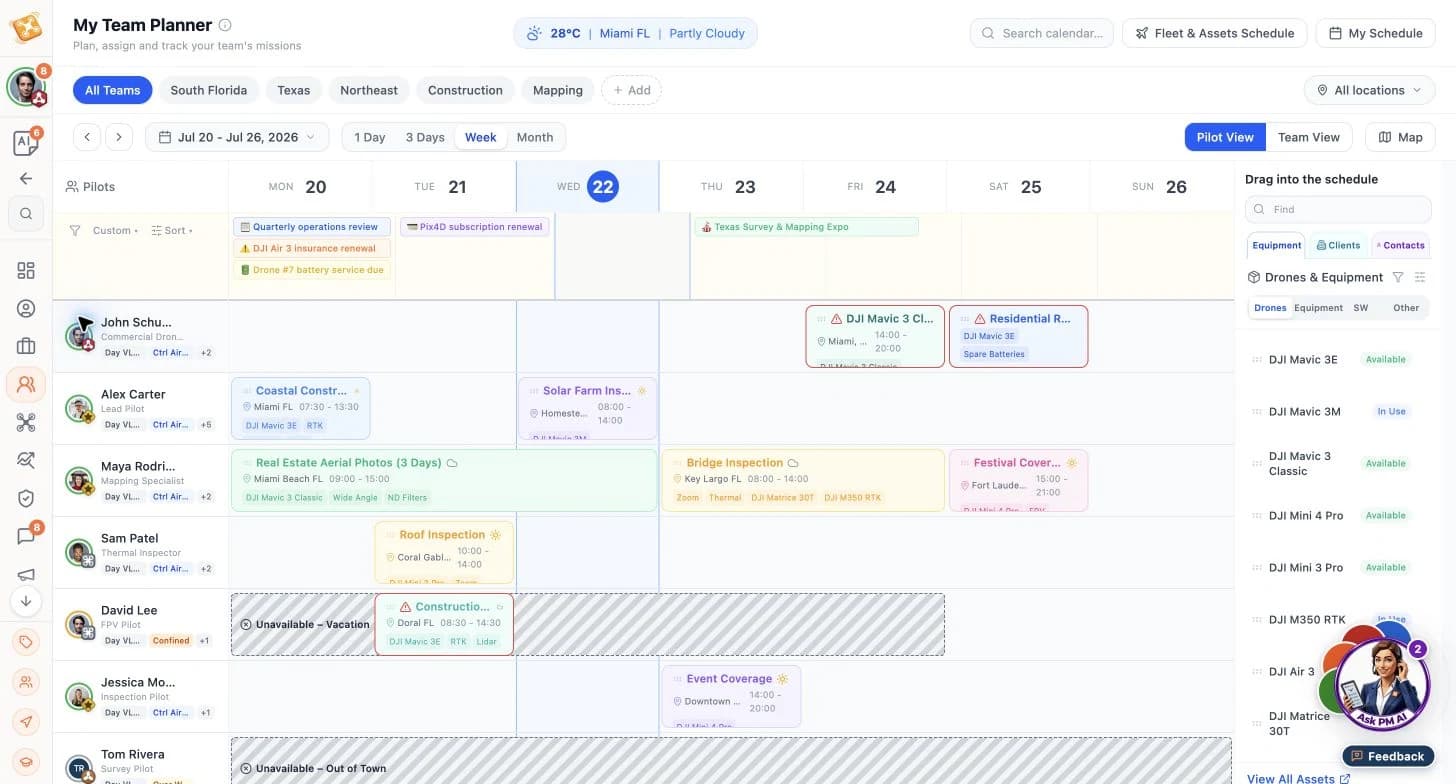
Illustrative workflow · AI advances routine execution; your team owns critical decisions.
Construction visit · revised access
Before the change, the original operator and asset were allocated to the agreed visit. After the date moves, the coordinator must resolve the conflict before dispatch.
Compare the options
- Input
- Revised access window, original assignment, crew qualifications and asset readiness.
- Product or agent contribution
- PM and Fleet organize affected work and prepare a qualified replacement or a revised date.
Resulting output
An approved assignment with the reason for change and an owner for the client update.
Confirm the handoff
- Input
- Approved crew, asset and visit time.
- Product or agent contribution
- AI prepares the affected task and communication updates for the authorized owner.
Resulting output
A current visit plan and a reviewed client update, without an unresolved double booking.
Start with your schedule. Discuss the shared handoff.
Personal availability and organization-wide dispatch have different owners.
Use your personal schedule to keep your availability current and fleet management to maintain asset records. If you coordinate a team, bring one recent scheduling conflict, your assignment rules and the approving roles to a workflow discussion.
Keep your team ready for the work ahead.
Maintain your availability in your personal schedule, or discuss how your team reviews conflicts, allocates assets and approves dispatch changes.
Create your account or sign in first. Your schedule task stays with the account-entry handoff.